When you are creating and building the registration for your event, you of course want to be able to see what it will look like for those who will register.
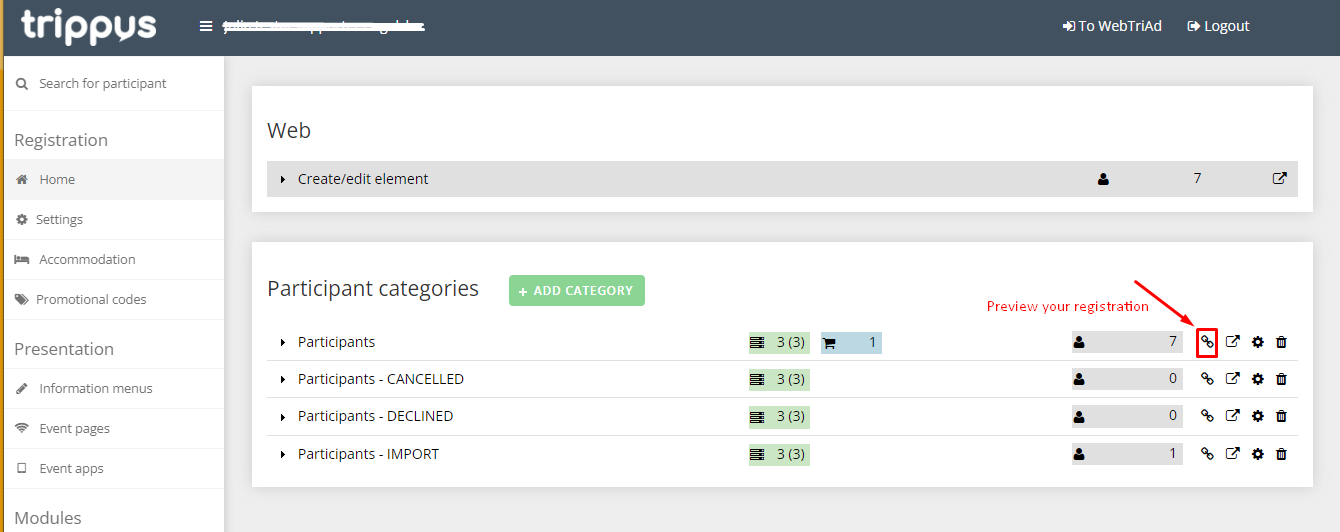
You can preview the registration by clicking on the small link icon located to the right of each participant category in the Home view.
The preview will open in a new tab in your browser.
The URL (link) showing in the new tab with the preview can also be used as a registration link to register participants.
If you want to use the link to send out an invitation to potential participants our publish the link on a external web site you might get the link from another place.
>Read more about how to create your own links to send out or publish on a website.
Comments
0 comments
Article is closed for comments.