Sometimes an event may have dozens of activities in a registration and utilize our activity groups to help streamline the registration process. This is a setting that ignores the formatting of activity groups.
Including a specific example below of where this feature could be useful.
Example
An event has 2 categories - General Admission and VIP.
- VIP attendees get to choose from 20 different activity groups consisting of 4 choices each. This totals 80 sessions.
- General Admission attendees just get to choose from 1 activity group consisting of 4 choices.
For the VIP group, we definitely want to utilize activity groups so they don't have to scroll through 80 different sessions. It's easier for them to see 20 headers and click to expand them as they go. It would look something like the below.
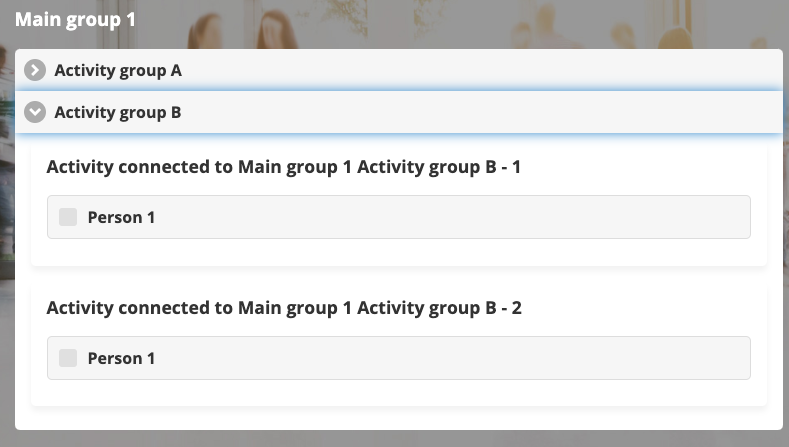
For the General Admission group, activity groups aren't necessary as they just have 1 group and 4 items. If we use a group, the formatting could look strange, like the below.
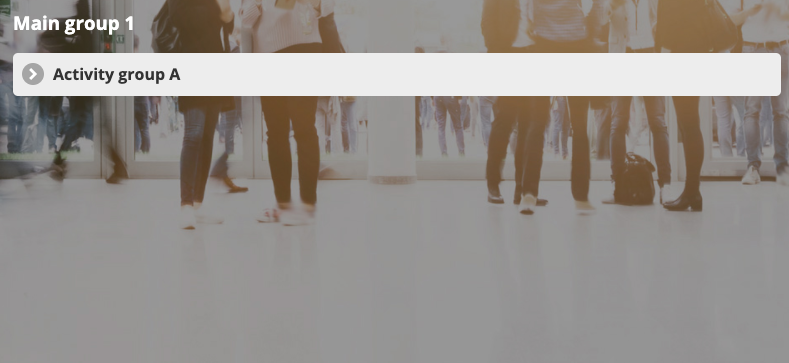
This setting of ignore activity groups, when checked for the General Admission category, would make it so that the group wouldn't show up like in the above picture. Instead, it would just list the 4 activities.
Instructions
- Go to Home (left menu)
- Click on the settings wheel icon on the participant category
- Click on Flex settings (top right)
- Click the Miscellaneous tab
- Click Ignore Activity Groups
- Click Save!
Comments
0 comments
Article is closed for comments.