Click Search for Participant in the top of the left menu
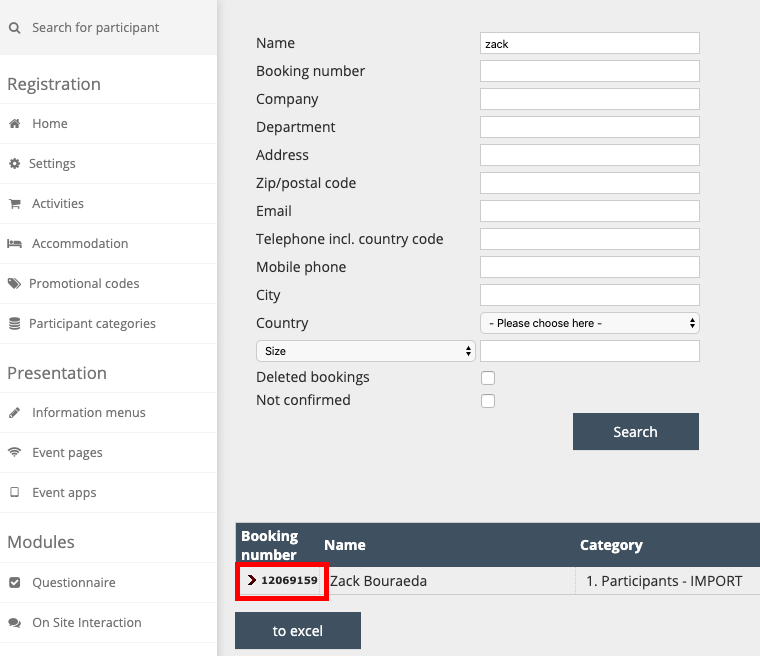
You can search using many different search criteria options (listed below)
As you start typing, dropdown options will appear if the system matches your text with an existing booking.
You can also type in partial criteria - for example, typing in 'Smith' will pull up all records with 'Smith' in it, such as 'Smithson' or 'Smith-Young'.
Click To Excel to export this list
Click on the Booking Number to open the Attendee Info Page (image below)
Search Criteria Options
Name
Booking number
Company
Department
Address
Zip/Postal code
Email
Telephone incl. country code
Mobile phone
City
Country
Custom fields (shown in the drop-down list)
You can choose to filter for Deleted Bookings and Not Confirmed
Image 1: Click on the booking number to open an Attendee Info Page.
Comments
0 comments
Article is closed for comments.