The Activities report is Standard Report found by clicking Reports on the left sidebar.
A comprehensive list below shows the different options.
1. The view after you click into the Activities Report
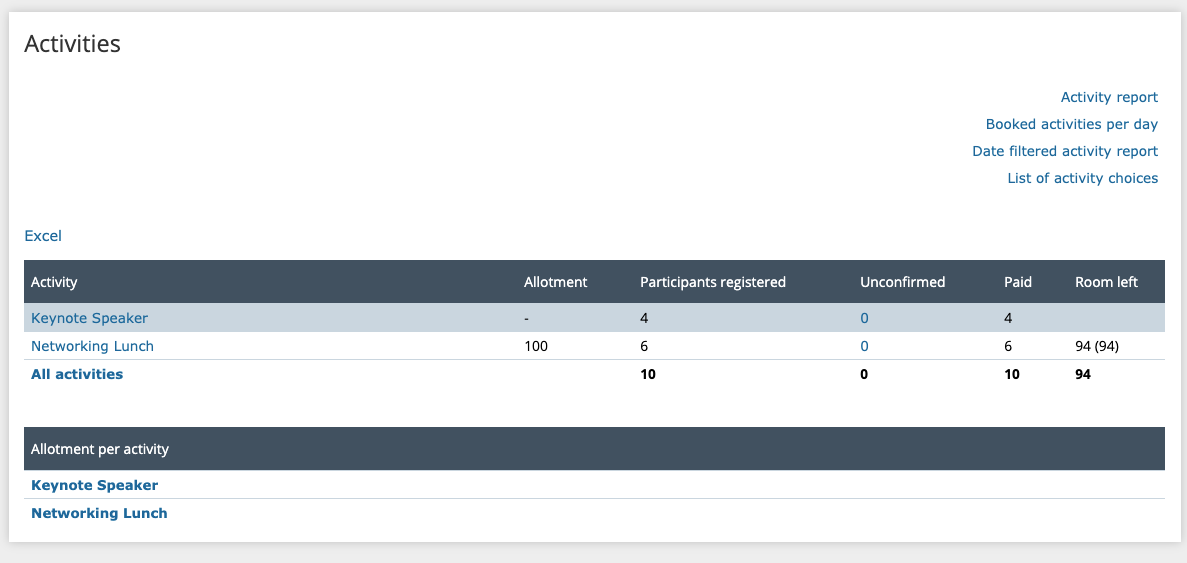
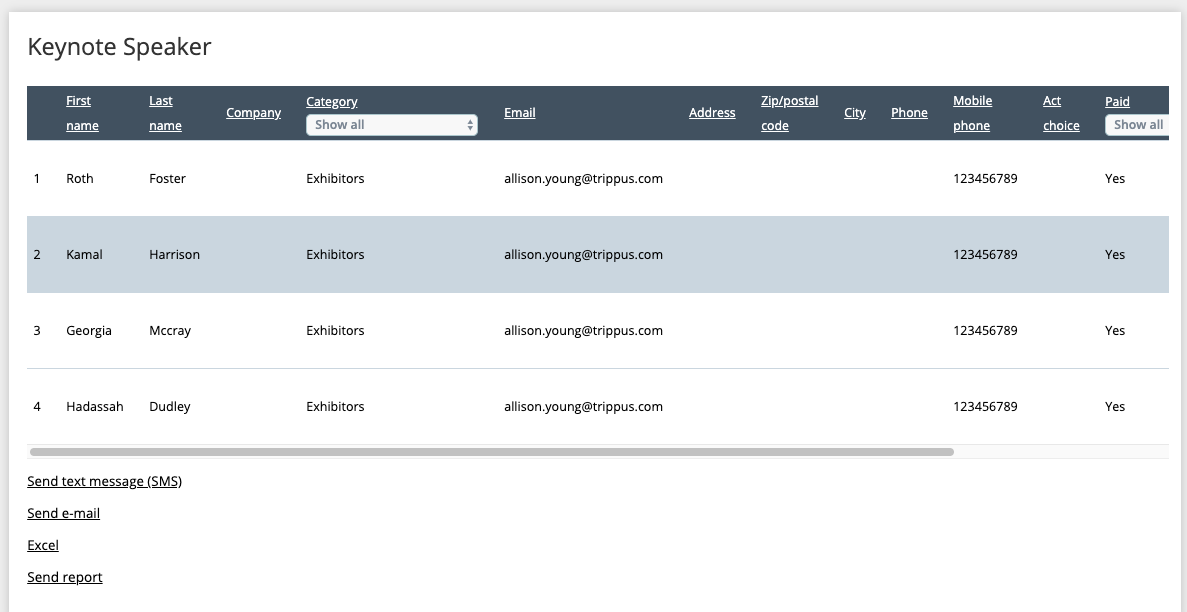
2. Clicking on an activity name (under the Activity header) gives a list of participants who have registered for that activity.
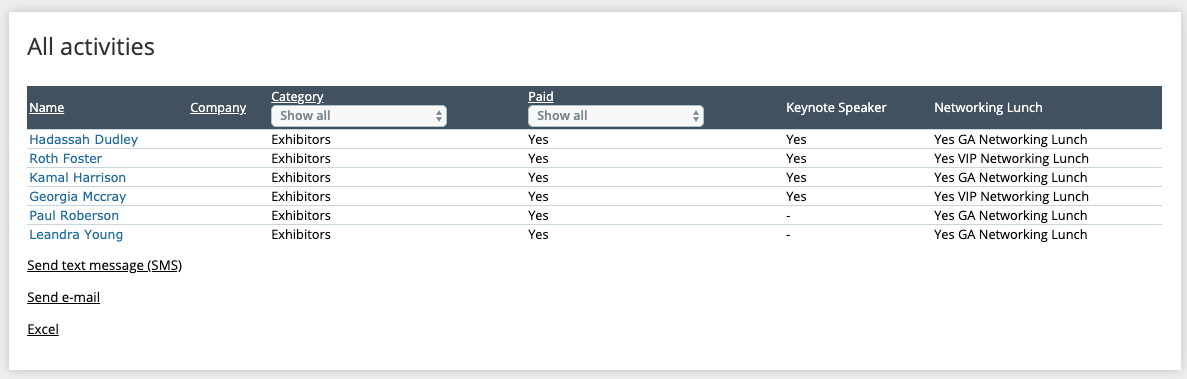
3. Clicking All Activities (under the Activity header) shows all participants who have registered for any activity.
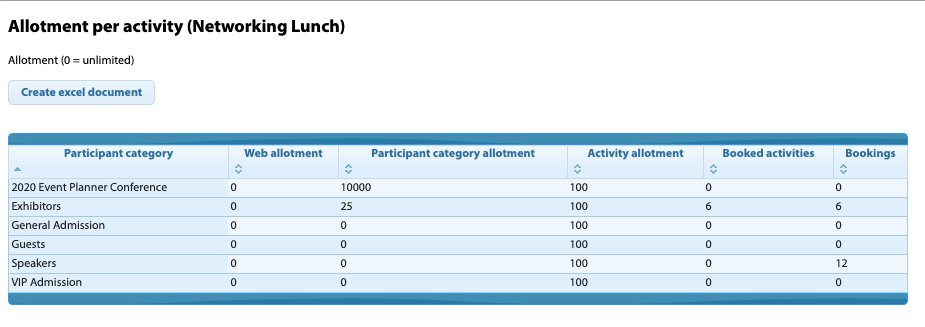
4. Clicking an activity (under the allotment per activity header) shows the number of bookings vs the allotment (if you use allotments)
5. Clicking Activity Report (top right) pulls a report showing what activities everyone has booked in one cell

6. Clicking Booked Activities per Day (top right) pulls a report showing the total number of activities booked per day.
Note! your activities need to have a date in order to populate in this report
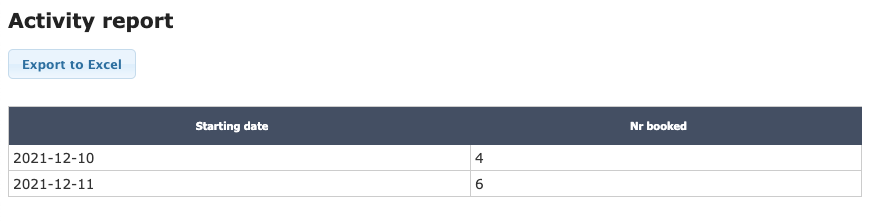
7. Clicking Date filtered activity report (top right) pulls a report showing the total number of activities booked on a specific date.
Note! your activities need to have a date in order to populate in this report
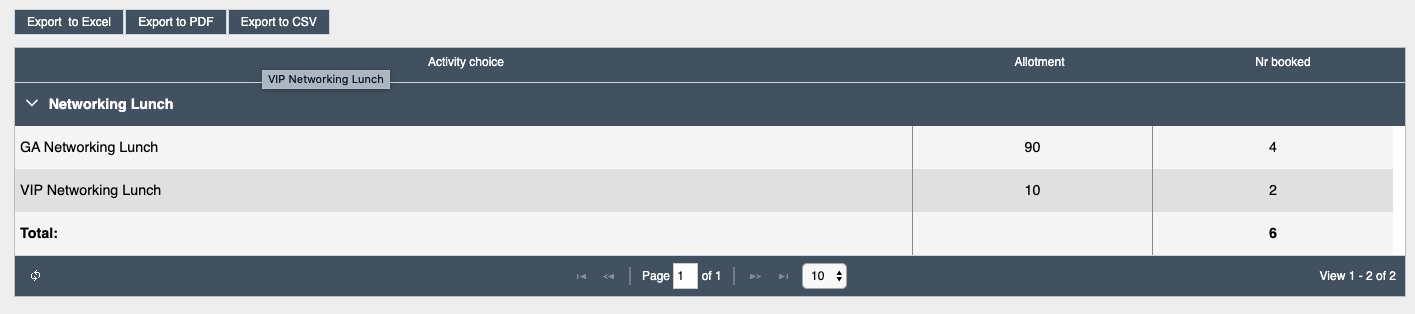
8. Clicking List of Activity Choices (top right) pulls a report showing activities, allotments, and booking numbers
Comments
0 comments
Article is closed for comments.