This article describes how to add a background image for the registration form, event and info page.
1. Go to Settings (left menu)
2. Click on Layout
3. Go to Picture-URL for background image and click Upload picture
4. Click Choose file and choose your background image
5. Click Save
Tip! Want to change color or transparency settings? Click Here

Where the background image appears on the Event Pages on our Standard Template
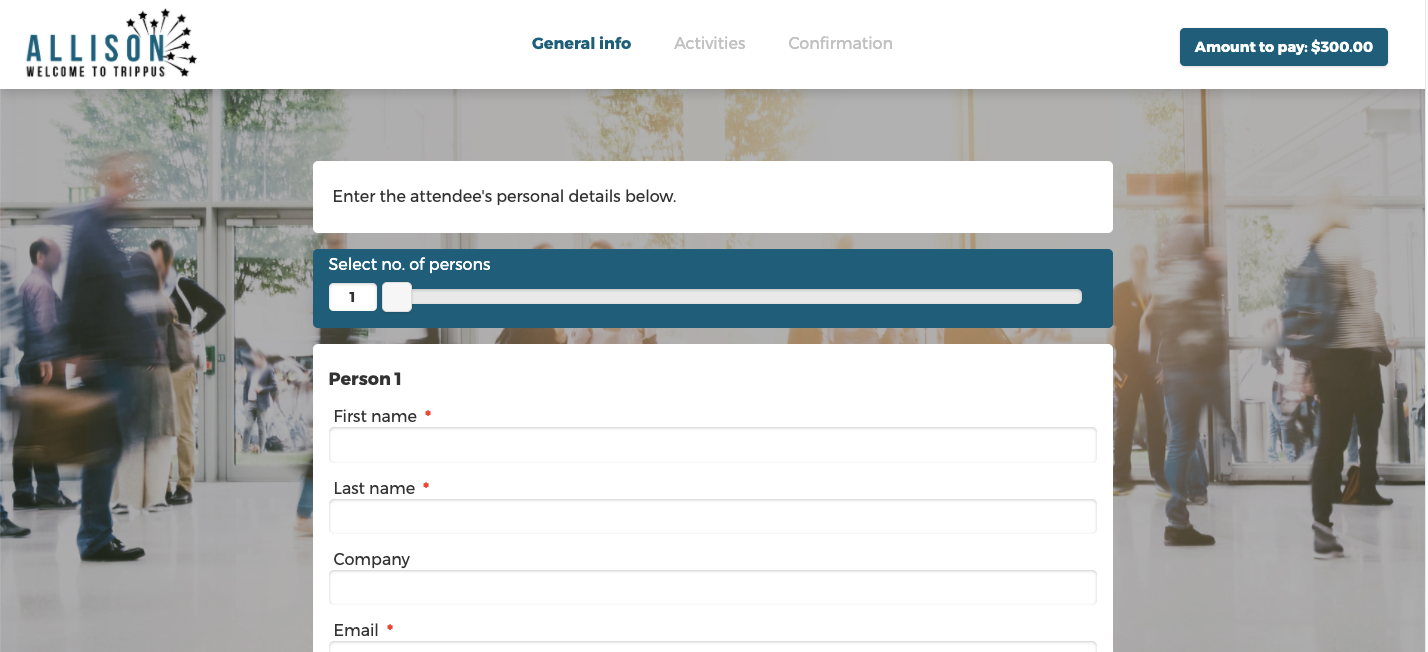
Where the background image appears on the Event Registration Pages on our Standard Template
Comments
0 comments
Article is closed for comments.